Why Learn to Codewith AI Assistance?
Code350 Workspace is our AI-powered development environment built specifically for learners. Here's why AI-assisted coding is the most effective way to learn.
How Workspace Fits Into Code350
Code350 is an educational platform. Workspace is where you put that education into practice.
Learn Concepts
Through our courses and 1-on-1 tutoring
Build in Workspace
Apply concepts with AI guidance
Ship Real Projects
Deploy to GitHub and the web
The Problem with Traditional Code Learning
Most people quit learning to code. Not because it's too hard, but because the learning experience is broken.
Traditional Learning
- Hours spent on environment setup before writing any code
- Cryptic error messages with no context on what went wrong
- Endless Stack Overflow tabs searching for answers
- Building toy projects that don't translate to real work
- Getting stuck for days on problems a mentor could solve in minutes
Learning with Code350 Workspace
- Start coding instantly in your browser — zero setup
- AI explains every error and teaches you how to fix it
- Ask questions in plain English, get answers in context
- Build real applications you can actually deploy
- AI pair programmer available 24/7 with infinite patience
Why AI-Assisted Learning Works
This isn't about AI writing code for you. It's about having a knowledgeable mentor available every moment you're learning.
Instant Feedback Loop
Traditional learning means writing code, running it, hitting errors, and searching for answers. With AI assistance, you get immediate explanations of what went wrong and why — turning every error into a learning moment.
Learn by Building Real Projects
Forget toy examples. Build actual applications from day one. The AI helps you tackle real-world complexity while explaining concepts as they become relevant — not in some abstract order decided by a curriculum.
Personalized Explanations
Everyone learns differently. Ask "why" as many times as you need. Request explanations at your level — whether you want the simple version or the deep technical dive. No judgment, infinite patience.
See the "How" and "Why"
Watch the AI write code step-by-step with explanations. Understand patterns, best practices, and architectural decisions in context — not from a textbook, but applied to your actual project.
No Setup Friction
Environment setup kills motivation. Code350 Workspace runs in your browser with everything pre-configured. Start learning in seconds, not hours. Focus on code, not configuration.
Portfolio-Ready Output
Everything you build is yours. Push to GitHub, deploy to the web, show employers real projects. Learn and build your portfolio simultaneously — the most efficient path to your first dev job.
A Glimpse of Workspace
Describe what you want, see it built in real-time, understand every line.
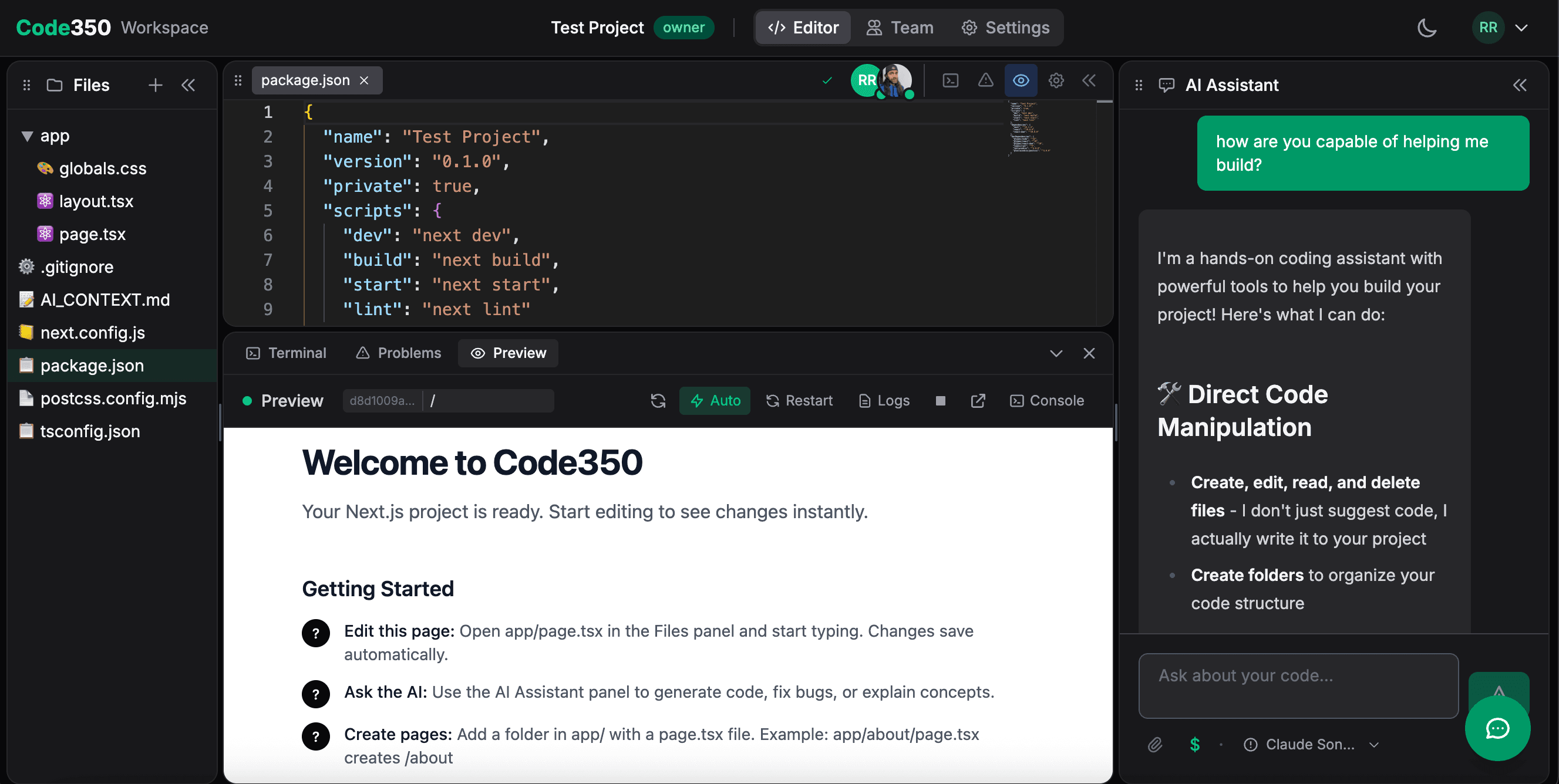
The Code350 Workspace: AI chat, code editor, and live preview — all in one place.
Code Together in Real-Time
AI is powerful, but sometimes you need a human mentor. Workspace's collaboration feature lets us code together in real-time during your personalized education sessions. Share your screen, pair program, and get instant feedback on your approach — not just your code.
- Pair program with an experienced developer
- Get feedback on architecture and problem-solving
- Work on your actual projects, not contrived exercises
Ready to Learn by Building?
Start with Workspace free, or pair it with our courses and tutoring for the complete Code350 learning experience.